

Tired of the same old recommendations cluttering your YouTube feed? Whether it’s outdated trends, videos you’ve already watched, or suggestions that just don’t match your interests, a stale recommendations queue can make browsing feel repetitive. But what if you could hit reset and curate a feed that actually excites you?
From tweaking your watch history too exploring hidden settings, refreshing your YouTube recommendations is easier than you think. Dive in to discover simple,effective ways to reshape your feed—so every scroll brings fresh,engaging content tailored just for you.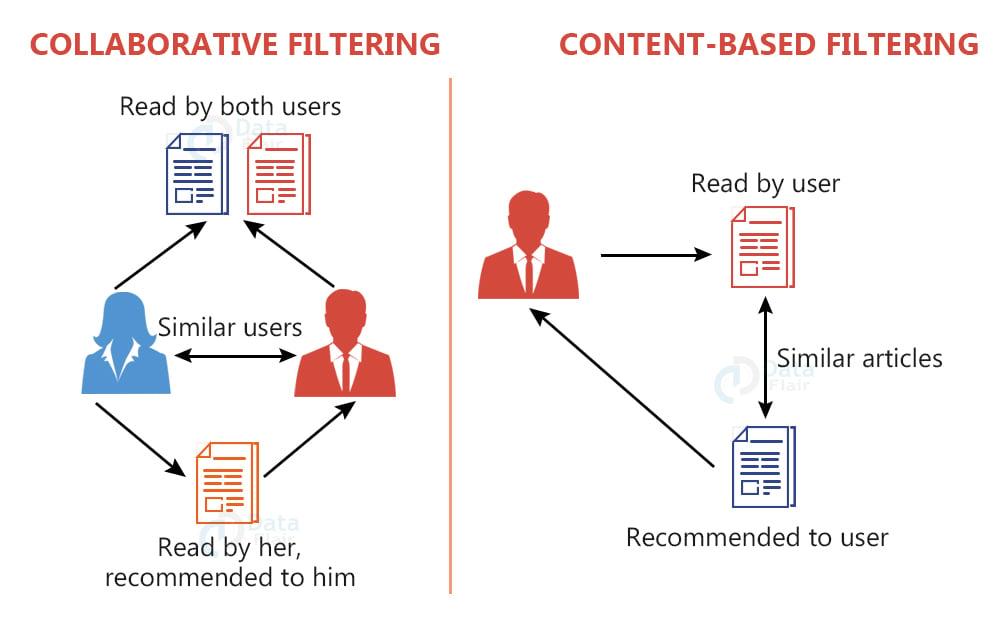
Understanding How YouTube’s Recommendation Algorithm Works
YouTube’s recommendation system is a intricate web of data-driven decisions designed to keep viewers engaged. At its core, the algorithm analyzes your watch history, interactions, and even the content of the videos you engage with. For instance, liking, commenting, or sharing a video signals your preference, which the algorithm uses to fine-tune suggestions. Additionally, factors like watch time, video performance, and user behavior patterns play a meaningful role. Understanding these elements can help you shape your feed to reflect your true interests.
To take control of your recommendations, consider these actionable strategies:
- Clear Watch History: Regularly resetting your watch history can give the algorithm a fresh start to understand your evolving interests.
- Engage Mindfully: Only like or comment on videos that genuinely align with your preferences to avoid skewing recommendations.
- Explore New Content: Occasionally search for topics outside your usual interests to diversify your feed.
| Action | Impact on Recommendations |
|---|---|
| Clear Watch History | Resets algorithmic assumptions about your preferences. |
| Engage Mindfully | Reinforces accurate signals for future suggestions. |
| Explore new Content | Introduces variety and prevents algorithmic stagnation. |
Clearing Watch History to Reset Your Suggested Videos
Have you ever found yourself trapped in a cycle of repetitive YouTube recommendations? Clearing your watch history is a simple yet powerful way to break free and reset your feed to explore fresh content. By doing so, YouTube’s algorithm will no longer rely on your past views, giving you a clean slate to discover videos that truly align with your current interests. This method is particularly useful if your recommendations have become irrelevant or overly niche.
Here’s how to do it:
| Step | Action |
|---|---|
| 1 | Go to YouTube History in your account settings. |
| 2 | Click on Clear All Watch History. |
| 3 | Confirm to reset your recommendations. |
Once cleared, the platform will start suggesting videos based on broader trends and your general preferences rather than your previous viewing habits. To enhance the experience, consider adjusting your privacy settings to pause watch history temporarily or explore the “Not Interested” and “Don’t Recommend Channel” options for further customization. With these steps, your YouTube feed will feel fresh, relevant, and tailored to your evolving tastes.
Curating your Feed with Strategic Searches and Interactions
Sometimes, your YouTube feed can feel cluttered with irrelevant or repetitive suggestions. The good news? You have the power to reshape it. Start by leveraging strategic searches—type in keywords or phrases that align with your interests, even if you don’t plan to watch those videos promptly. This signals YouTube’s algorithm to prioritize similar content. Next, engage selectively: like, comment, or save videos that genuinely resonate with you. This active interaction teaches the platform what keeps you engaged.
Additionally, don’t shy away from pruning your feed. Regularly remove unwanted recommendations by clicking the three-dot menu and selecting “Not interested” or “Don’t Recommend Channel.” Pair this with subscribing to channels that consistently deliver value. Below is a rapid guide to optimize your feed:
- Perform searches aligned with your interests.
- Interact thoughtfully with videos you enjoy.
- Hide or remove irrelevant recommendations.
- Subscribe to high-quality,niche channels.
| Action | impact |
|---|---|
| Strategic Searches | Tailors algorithm to your interests |
| Thoughtful Engagement | Enhances personalized recommendations |
| Pruning Irrelevant Content | Clears clutter for better suggestions |
Exploring New Content by Diversifying your Subscriptions
Ever feel like your YouTube recommendations are stuck in a loop? It’s time to break free from the algorithm’s grip by diversifying your subscriptions.Fresh content starts with fresh sources—try following creators outside your usual niche. Whether it’s cooking,tech reviews,or niche hobbies,new voices bring new perspectives. Here’s how to shake things up:
- Explore “Suggested Channels” under videos you enjoy.
- Search for keywords you rarely watch but find intriguing.
- Engage with varied content—likes and watches train the algorithm.
| Subscription Type | Potential Impact |
|---|---|
| Educational | Boosts curiosity-driven recommendations |
| Entertainment | Balances your feed with lighter content |
Don’t underestimate the power of a single click—subscribing to just one new channel can cascade into a richer, more dynamic feed. The algorithm adapts quickly, so consistent exploration keeps recommendations fresh. Mix genres, experiment with global creators, and watch as your homepage transforms from predictable to pleasantly surprising.
Leveraging YouTube’s Not Interested and Don’t Recommend Features
Ever feel like your YouTube recommendations are stuck in a loop, showing you the same content repeatedly? The platform’s Not Interested and Don’t Recommend Channel features are powerful tools to declutter your feed. By using them strategically, you can train the algorithm to prioritize fresh, relevant videos. Here’s how:
- Hover over a video thumbnail and click the three-dot menu to find these options.
- Be specific—selecting ”Not Interested” refines suggestions, while “Don’t Recommend Channel” blocks entire creators.
- Combine with manual searches for topics you love to reset your recommendations faster.
| Feature | Best Used For |
| Not Interested | single videos that don’t align with your tastes |
| Don’t Recommend Channel | Entire creators whose content you want to avoid |
Over time, these small adjustments add up, transforming your homepage into a curated space filled with content you genuinely enjoy. The algorithm learns quickly—so don’t hesitate to prune irrelevant suggestions. For an extra refresh,clear your watch history occasionally,especially if old interests no longer resonate. A little effort goes a long way in keeping your feed dynamic and engaging.
Enhancing Your Experience with Third-Party Tools and Extensions
One of the most effective ways to take control of your YouTube recommendations is by leveraging third-party tools and browser extensions. These resources can help you filter out unwanted content, tailor your feed to your interests, and even block specific channels or topics. As an example, extensions like Video Blocker allow you to blacklist certain videos or creators, ensuring they never appear in your suggestions. Meanwhile, tools such as DF youtube can declutter the interface, removing distractions and focusing on what matters most—your viewing experience.
below is a quick overview of some popular tools and their key features:
| Tool | Feature |
|---|---|
| Video Blocker | Block specific channels or videos |
| DF YouTube | Remove distractions from the interface |
| Enhancer for YouTube | Customize playback and layout |
Additionally, integrating these tools with your daily YouTube browsing can significantly enhance your experience. For example, Enhancer for YouTube offers features like customizable playback speed and automatic ad skipping, making your viewing smoother and more enjoyable. By combining these extensions, you can create a more personalized and efficient YouTube environment tailored to your preferences.
Maintaining a Fresh Feed with Regular Audits and Updates
Keeping your YouTube feed fresh and engaging isn’t just about watching new content—it’s about actively curating what you see. Start by conducting regular audits of your subscriptions and watch history. Unsubscribe from channels that no longer align with your interests or provide value. This ensures that your recommendations are tailored to your current preferences, not outdated habits. Additionally, use YouTube’s “not Interested” and “Don’t Recommend Channel” features to weed out irrelevant suggestions. Over time, these small adjustments will transform your feed into a personalized hub of engaging and relevant videos.
Another effective strategy is to diversify your interactions with the platform. Here’s a quick guide to help you refine your feed:
- Like, comment, and save videos that genuinely interest you to signal your preferences to the algorithm.
- Search for new topics or creators to expand the range of content you’re exposed to.
- Clear your watch history periodically to reset recommendations and start fresh.
| Action | Effect on Feed |
|---|---|
| Unsubscribe from inactive channels | Reduces clutter, focuses on relevant content |
| Use “Not Interested” feature | Filters out unwanted recommendations |
| Engage with new videos | Improves algorithmic understanding of preferences |
To Conclude
Revamping your YouTube feed isn’t just about decluttering—it’s about rediscovering the content that truly matters to you. With a few simple tweaks, you can transform your recommendations into a personalized treasure trove of videos that inspire, entertain, and educate. So, why settle for a feed that doesn’t spark joy? Take control, refresh effortlessly, and let your YouTube experience evolve with your interests. After all, your feed should be as dynamic and exciting as you are. Happy watching!
