

In the endless scroll of YouTube’s digital universe, every search leaves a footprint—a breadcrumb trail of your curiosity, interests, and late-night rabbit holes. Weather you’re looking to declutter your recommendations, safeguard your privacy, or simply start fresh, knowing how to clear your YouTube search history is a small but powerful act of digital housekeeping. This guide will walk you through the steps to erase those traces, reset your experience, and reclaim control over your virtual journey. Let’s dive into the art of wiping the slate clean,one search at a time.
Understanding Your YouTube Search History and Why It Matters
Your YouTube search history is more than just a log of past queries—it shapes the platformS recommendations, influencing the content you see daily. From tailored video suggestions to personalized ads, this data plays a crucial role in curating your viewing experience. However, there are times when you might want to reset or erase this history—whether for privacy reasons, to declutter recommendations, or simply to start fresh. Understanding how your searches impact your feed empowers you to take control of your digital footprint.
Deleting your search history is a straightforward process, but it’s essential to know the implications. Here’s what happens when you clear it:
- Recommendations reset: YouTube will stop suggesting videos based on your past searches.
- Improved privacy: Your search activity won’t be accessible to anyone with access to your account.
- Streamlined experience: Remove irrelevant or outdated queries to refine your future searches.
| Action | Outcome |
|---|---|
| Delete specific searches | Remove individual entries without affecting others |
| Clear all history | Reset recommendations and erase all search data |
| Pause search history | Stop YouTube from saving future searches |
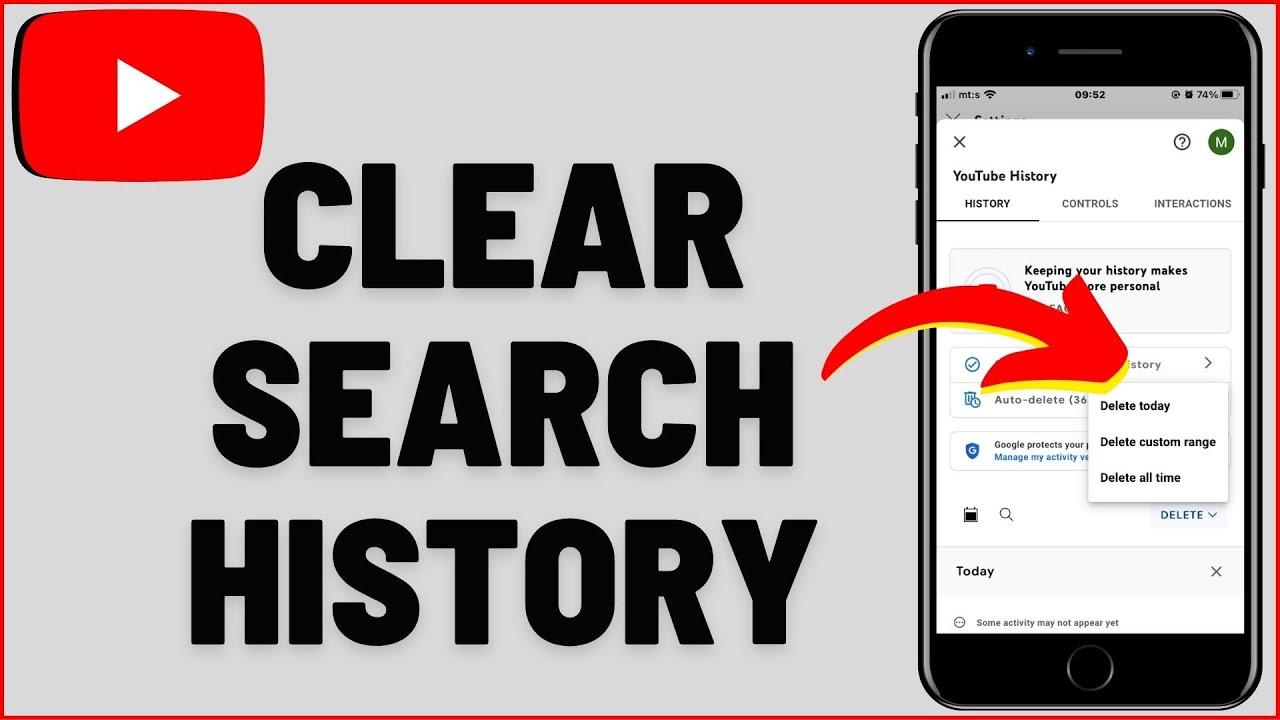
Step-by-Step Guide to Deleting Your YouTube Search History
Keeping your YouTube search history clean is essential for maintaining privacy and ensuring your recommendations stay relevant. Follow these steps to clear your search history effortlessly:
- Open youtube: Head to the YouTube website or app and log in to your account.
- Access History: Click on your profile icon and select “History” from the dropdown menu.
- Clear Searches: Navigate to the “Search history” tab and click on the “Clear all search history” button.
- Confirm: A pop-up will appear; confirm your action to delete your search history permanently.
If you prefer more control over your data, you can pause or manage your search history settings. Here’s how:
| Pause Search history: | Go to YouTube settings, select “History & privacy,” and toggle “Pause search history” on. |
| Delete Specific Searches: | In the search history tab, click the “X” next to individual entries to remove them. |
Managing Privacy: Additional Tips to Keep Your Viewing Habits Secure
Maintaining your privacy online requires more than just deleting your YouTube search history. To ensure your viewing habits remain secure, consider implementing these additional strategies:
- Use Incognito Mode: Browse YouTube without saving any search or watch history by using an incognito or private browsing window.
- Customize Privacy Settings: Adjust your youtube account settings to pause search and watch history, ensuring no new data is stored.
- Employ VPNs: Mask your IP address and encrypt your internet connection for added anonymity while streaming.
| Tool | Purpose |
|---|---|
| Ad Blockers | Prevent targeted ads based on your YouTube activity. |
| Password Managers | Secure your account with strong, unique passwords. |
| Browser Extensions | Enhance privacy by blocking trackers and cookies. |
Beyond tools and settings, staying vigilant about your online habits can make a importent difference. Regularly audit your linked accounts, clear cookies, and consider logging out of YouTube when not in use. These small but effective steps can help you maintain control over your digital footprint.
Beyond Deletion: Customizing YouTube for a Cleaner Browsing Experience
deleting your YouTube search history is a great first step toward a cleaner browsing experience,but there’s more you can do to tailor the platform to your preferences. Customizing your settings ensures that your recommendations and search results align with your current interests, while reducing clutter from outdated or irrelevant content.Here are a few ways to refine your YouTube experience:
- Pause Search History: Temporarily stop YouTube from saving your searches to avoid unwanted recommendations.
- Clear Watch History: Remove past videos you’ve watched to reset your recommendations.
- Manage Recommendations: Use the “Not Interested” or “Don’t Recommend Channel” options to fine-tune your feed.
| Action | Impact |
|---|---|
| Delete Search History | Removes past searches and resets related suggestions |
| Pause Search History | Prevents new searches from being stored |
| Clear Watch History | Resets video recommendations based on past views |
Beyond these steps, consider exploring YouTube’s Incognito Mode for browsing without affecting your history or recommendations. Additionally, reviewing and adjusting your Google Account’s Ad Settings can further refine the ads you see on YouTube. By combining these strategies, you can create a more streamlined and personalized viewing experience that reflects your current preferences and interests.
Wrapping Up
Outro:
And there you have it—your guide to clearing the digital breadcrumbs of your YouTube journey. Whether you’re tidying up for privacy, starting fresh, or just keeping things neat, managing your search history is a small but powerful step in taking control of your online presence. Remember, the internet is like a vast, ever-changing library, and your search history is just one of the many chapters you can rewrite or erase. So, go ahead, hit that delete button, and let your next YouTube adventure begin with a clean slate. After all, the best searches are always the ones yet to come. Happy watching!
