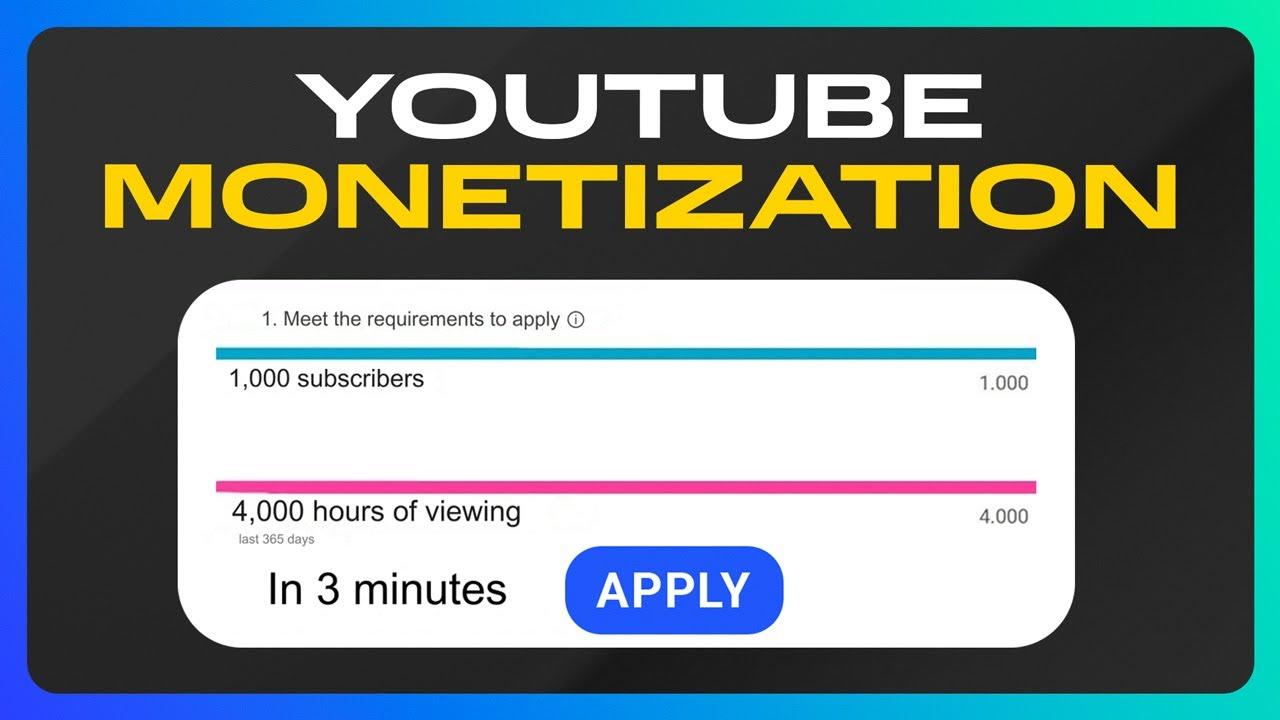
In the ever-evolving landscape of digital content creation, YouTube stands as a colossus, offering creators a platform to share their creativity, ideas, and passions with the world. Yet, as the platform grows increasingly saturated, the question of monetization becomes more complex, especially when copyrighted content enters the equation. For many creators, the allure of leveraging popular music, movie clips, or iconic visuals is undeniable, promising to amplify engagement and attract a broader audience. But does this strategy still pay off in an age where copyright claims can swiftly derail even the most viral of videos? This article delves into the intricate dance between creativity and copyright on YouTube, exploring whether integrating copyrighted content remains a viable path to profitability—or if it’s a gamble with diminishing returns.
Understanding Copyrighted Content and Its Impact on Monetization
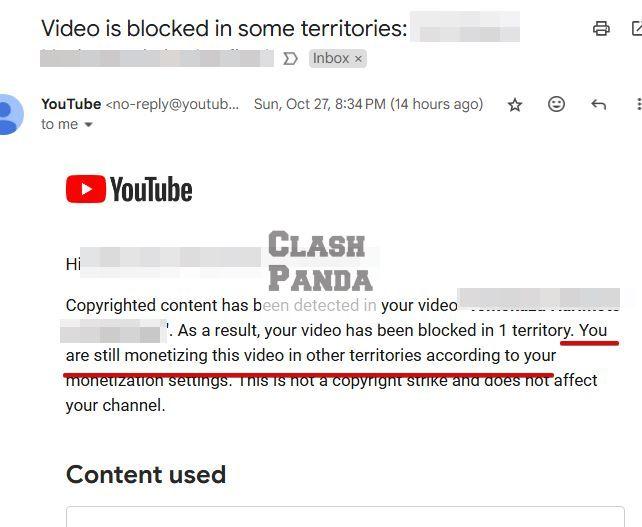
Navigating the complexities of copyrighted material on YouTube is crucial for creators aiming to monetize their content. While using copyrighted music, visuals, or other media can enhance the quality of your videos, it often comes with notable risks. YouTube’s Content ID system automatically detects copyrighted material, leading to claims or even strikes against your channel. These claims can result in revenue loss, demonetization, or restricted access to certain features. However, not all claims are catastrophic—some copyright owners allow creators to use their work in exchange for a share of the ad revenue. Understanding the nuances of licensing agreements and fair use policies is essential to strike a balance between creativity and compliance.
| Situation |
Impact on Monetization |
| Copyright Claim |
Revenue split with the owner; video remains monetized. |
| Copyright strike |
Potential demonetization; legal consequences. |
| Fair use |
Possible monetization if guidelines are followed. |
For creators steadfast to incorporate copyrighted content, ther are strategies to minimize risks. Transforming the material through editing, commentary, or parody can sometimes qualify as fair use, depending on jurisdiction-specific laws. additionally, platforms like YouTube’s Audio Library offer royalty-free music and sound effects, ensuring your content remains monetizable without legal hurdles. Alternatively, securing direct permission from copyright holders, though time-consuming, can provide peace of mind and full control over your earnings. Ultimately, while copyrighted content can still pay off, it requires a thorough understanding of the rules and a proactive approach to avoid pitfalls.
Strategies for Using Copyrighted Material Without Losing Revenue
Navigating the complexities of copyrighted material on YouTube requires a blend of creativity and strategic planning. One effective approach is to leverage fair use, which allows limited use of copyrighted content for purposes such as commentary, criticism, or parody. As a notable example, creators can incorporate short clips or images while adding considerable original commentary or transformative elements. Additionally, partnering with copyright holders through licensing agreements can provide a legal pathway to use their material while sharing revenue. This not only ensures compliance but also builds mutually beneficial relationships.
Another strategy involves utilizing platforms like YouTube’s Content ID system, which identifies copyrighted material and offers options to monetize through ad revenue sharing. Creators can also explore public domain or Creative Commons resources, which are free to use and frequently enough require only attribution. To maximize revenue while staying compliant, consider the following steps:
- Transform content by adding original elements like narration, music, or effects.
- Seek permissions from copyright holders to avoid disputes.
- Focus on originality by creating unique interpretations of existing works.
| Strategy |
Benefit |
| Fair Use |
Legal protection for transformative content |
| Licensing |
Revenue-sharing with copyright holders |
| Public Domain |
Free-to-use content with no restrictions |
Legal Alternatives to Incorporate Music and Visuals in Your Videos
When crafting videos for youtube, using copyrighted music or visuals can lead to demonetization or even removal of your content. However, there are legal alternatives that allow you to enhance your videos without risking penalties. Here are some effective options to consider:
- Royalty-Free Music platforms: Websites like Epidemic Sound, Artlist, and AudioJungle offer vast libraries of tracks that you can use legally in your videos, frequently enough with a subscription.
- Creative Commons Licenses: Platforms like Jamendo or Free Music Archive provide music under Creative Commons licenses, which often require proper attribution but are free to use.
- Public Domain Resources: Visuals and audio from the public domain are free to use without restrictions, and websites like Unsplash and Pixabay offer high-quality assets.
| resource Type |
Platform |
Cost |
| Music |
Epidemic Sound |
Subscription |
| Visuals |
Pixabay |
Free |
| Both |
Free Music Archive |
Free (with attribution) |
Additionally, YouTube’s audio Library is a goldmine for creators. It offers a wide range of music and sound effects that are free to use, even in monetized videos. When incorporating visuals,tools like Canva provide templates and stock images that are licensed for commercial use. By leveraging these resources, you can create engaging, professional content while staying compliant with copyright laws and maximizing your monetization potential.
Maximizing Ad Revenue While Staying Within Copyright Guidelines
Monetizing YouTube with copyrighted content can be a gray area, but with the right approach, it’s possible to generate revenue while respecting copyright laws.Understanding fair use is key—transformative works like reviews, critiques, or parodies often fall under this category. always ensure your content adds significant value or commentary rather than simply repurposing the original material. Additionally, licensing agreements or collaborations with copyright holders can provide legal pathways to use their work while maintaining monetization eligibility.
To minimize risks and maximize earnings,consider these strategies:
- Use royalty-free or licensed music and visuals to avoid copyright claims.
- Leverage YouTube’s Audio Library for safe, copyright-free tracks.
- Optimize ad placements and engagement to boost revenue from original content.
| Strategy |
Benefit |
| Fair Use Compliance |
Reduces copyright claims and potential penalties. |
| Licensing Agreements |
Legal use of copyrighted material with proper permissions. |
| Royalty-Free Assets |
Ensures ad-friendly content without infringement risks. |
Building a sustainable YouTube Channel with Creative Commons and Royalty-Free Content
In the ever-evolving landscape of YouTube monetization, creators often wonder whether using copyrighted content is still a viable strategy. While platforms like YouTube enforce strict copyright policies, there are ways to leverage copyrighted material without risking demonetization. As a notable example, securing proper licenses or using content under fair use can keep your channel compliant. Though, relying on creative Commons (CC) and royalty-free assets offers a safer, more sustainable path—especially for long-term growth.
| Content Type |
pros |
Cons |
| Copyrighted (Licensed) |
High-quality, recognizable material |
Expensive, legal complexities |
| Creative Commons |
Free, flexible usage |
Limited uniqueness |
Building a channel with royalty-free and CC content not only minimizes legal risks but also fosters creativity. Here’s why many triumphant creators prefer this approach:
- No copyright strikes: Your videos stay monetized without takedown threats.
- Endless customization: remix and adapt content to fit your brand.
- Budget-friendly: Ideal for new creators investing in long-term success.
The Conclusion
Outro:
As the digital landscape continues to evolve, the intersection of creativity, copyright, and monetization remains a complex yet engaging terrain. While using copyrighted content on YouTube can still yield opportunities, it requires a delicate balance of risk, strategy, and innovation. Creators who navigate these waters with care—whether by leveraging fair use, transforming content, or exploring original ideas—can still find ways to thrive. However, the key lies in staying informed, adapting to platform policies, and embracing a mindset that prioritizes long-term sustainability over short-term gains. In the ever-shifting world of online content, the question isn’t just can copyrighted content pay off—it’s how you choose to make it work for you. the ball is in your court; play wisely.